
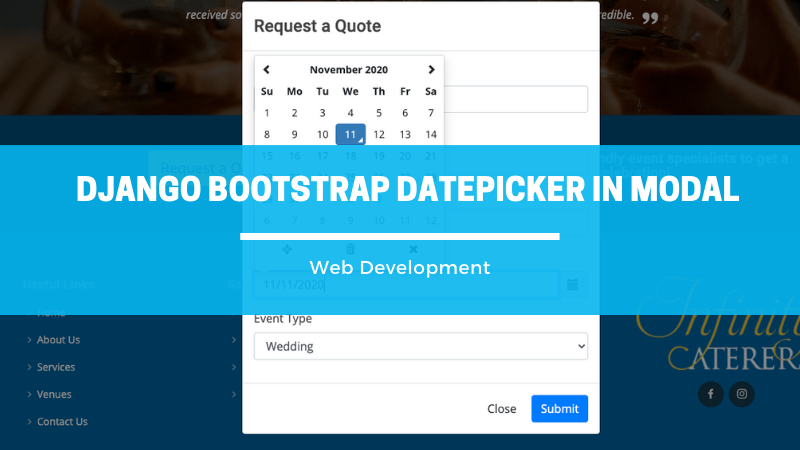
Rendering a Bootstrap Datepicker inside a modal using the bootstrap-datepicker-plus package for Django can sometimes cause some issues based on the order your page loads your scripts. Using a context processor that gives every template access to the form’s media should solve the issue.
I am using Django 3.1 and using Javascript and Ajax to load and submit the form. Here is a quick tutorial:
1. Install Django Bootstrap Datepicker using pip install django-bootstrap-datepicker-plus and follow the package installation instructions
2. Create your form and load the DatePicker widget. In this example I am using a generic Django Form. If you’re using a Model Form, follow the instructions from the package installation link above
from django import forms
from bootstrap_datepicker_plus import DatePickerInput

EVENT_TYPE_CHOICES = [
     ("Wedding", "Wedding"),
     ("Bar/Bat Mitzvah", "Bar/Bat Mitzvah"),
     ("Corporate", "Corporate"),
     ("Private Party", "Private Party"),
]

class RequestQuoteForm(forms.Form):
       name = name = forms.CharField(max_length=100)
       email = forms.EmailField()
       phone = forms.CharField(max_length=15)
       event_date = forms.DateField(widget=DatePickerInput(format="%m/%d/%Y"), label="Event Date")
       event_type = forms.ChoiceField(choices=EVENT_TYPE_CHOICES, label="Event Type")
3. Create a Context Processor
Inside your app directory create a new file called context_processors.py
from .forms import RequestQuoteForm

def quote_form_processor(request):
     quote_form = RequestQuoteForm()
     return {'quote_form': quote_form}
4. In your settings.py add the context processor to your TEMPLATES
TEMPLATES = [
        {
            "BACKEND": "django.template.backends.django.DjangoTemplates",
            "DIRS": [str(BASE_DIR.joinpath("templates"))],
            "APP_DIRS": True,
            "OPTIONS": {
                   "context_processors": [
                          "django.template.context_processors.debug",
                          "django.template.context_processors.request",
                          "django.contrib.auth.context_processors.auth",
                          "django.contrib.messages.context_processors.messages",
                          "pages.context_processors.quote_form_processor",
                     ],
               },
         },
   ]
5. Load the media in your base.html template. NOTE: Make sure the form name matches the name you set in your context processor.
{{quote_form.media}}6. Write your function based view
from django.http import JsonResponse
from django.template.loader import render_to_string

def request_quote(request):
    data = dict()
    if request.method == "POST":
         form = RequestQuoteForm(request.POST or None)
         if form.is_valid():

             data["html_success_message"] = render_to_string(
                   "pages/includes/partial_quote_submit_success.html", request=request,
              )
             data["form_is_valid"] = True

        else:
             data["form_is_valid"] = False
    else:
         quote_form = RequestQuoteForm()
         data["html_form"] = render_to_string(
               "pages/includes/partial_quote_form.html",
                {"quote_form": quote_form},
                request=request,
                )
return JsonResponse(data)
7. In your static folder create a file named custom.js and load file in the footer of your base.html template
$(function () {

      /* Functions */

      var loadForm = function () {
         var btn = $(this);
         $.ajax({
            url: btn.attr("data-url"),
            type: 'get',
            dataType: 'json',
            beforeSend: function () {
               $("#modal-base .modal-content").html("");
               $("#modal-base").modal("show");
             },
          success:function (data) {
              $("#modal-base .modal-content").html(data.html_form);
          }
      });
   };

var saveForm = function () {
     var form = $(this);
     $.ajax({
         url: form.attr("action"),
         data: form.serialize(),
         type: form.attr("method"),
         dataType: 'json',
         success: function (data) {
            if (data.form_is_valid) {
                $("#modal-base .modal-content").html(data.html_success_message);
            }
            else {
               $("#modal-base .modal-content").html(data.html_form);
            }
       }
    });
    returnfalse;
};


   /* Binding */


   // Request Quote
   $(".js-quote-request").on("click", loadForm);
   $("#modal-base").on("submit", ".js-quote-request-form", saveForm);

});
8. Create your form template and load the form media again
{{quote_form.media}}
<form method="POST" action="{% url 'request_quote' %}" class="js-quote-request-form" id="quoteForm">
     {% csrf_token %}
     <div class="modal-header">
         <h4 class="modal-title">Request a Quote</h4>
      </div>
      <div class="modal-body">
          {% bootstrap_form_errors quote_form %}
          {% bootstrap_form quote_form %}

      </div>
      <div class="modal-footer">
          <button type="button"class="btn btn-default" data-dismiss="modal">Close</button>
          {% bootstrap_button "Schedule" button_type="submit" button_class="btn-primary"%}
     </div>
</form>
9. Create your success template
<div class="modal-header">
      <h4 class="modal-title">Quote Request Sent</h4>
</div>
<div class="modal-body">
        Thank you for submitting your form! We will be in touch soon!

</div>
<div class="modal-footer">
    <button  type="button"class="btn btn-default"data-dismiss="modal">Close</button>
</div>
10. Add the modal to your base.html template
<div class="modal fade" id="modal-base">
   <div class="modal-dialog modal-dialog-centered">
       <div class="modal-content">
       </div>
    </div>
</div>
11. Render your modal from any template using a button
<button data-url="{% url 'request_quote' %}" class="btn btn-lg btn-primary js-quote-request">Request a Quote</button>